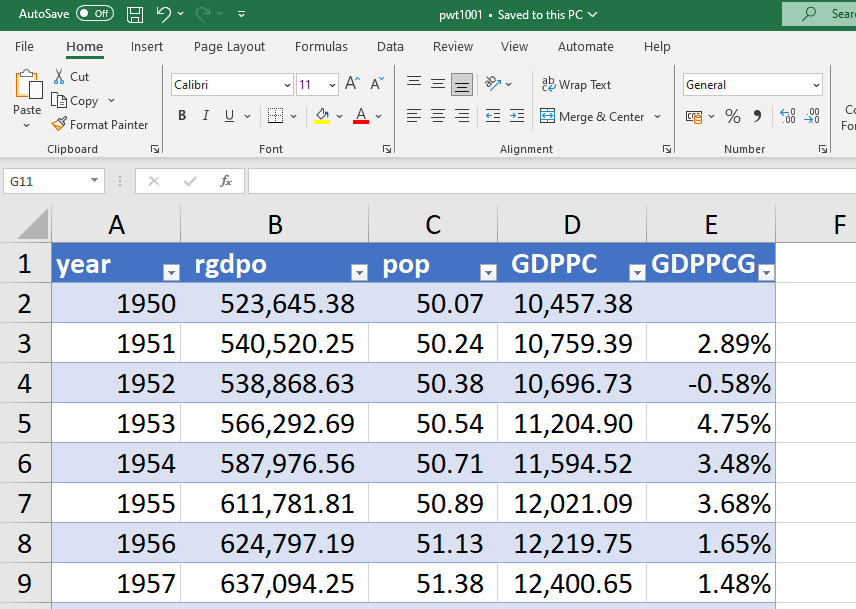
Chapter 4 Formatting numbers
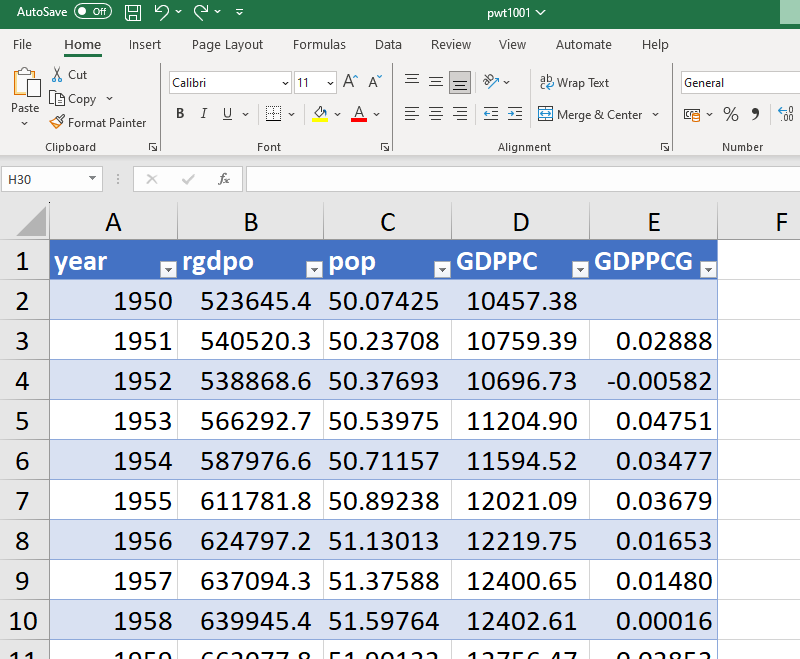
The data in the table above contains numbers with various decimal points and the GDP growth rate in column E is expressed in fractional form. It is possible to make the data more presentable by using the “Number” options in the top ribbon (first select the “Home” tab).
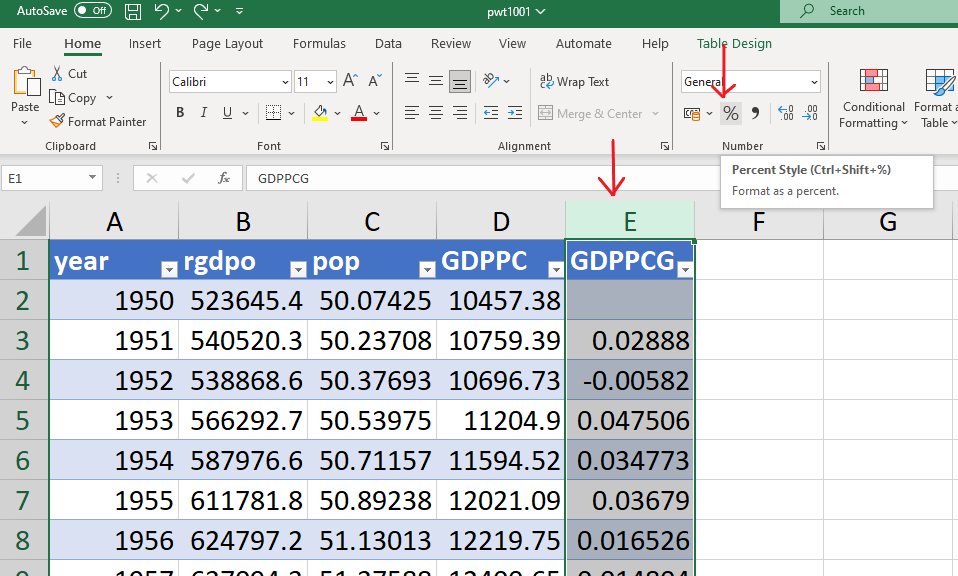
- To express the annual growth rate in % instead of decimal points, select column D and click on the “%” icon.
- The same number is now expressed in %. However, the growth rate have been rounded to the nearest integer value. It might be useful to display a more precise number. To increase the number of decimal points, click on the \(\leftarrow.000\) icon indicated by the red arrow below as many time as you want to add decimal points.
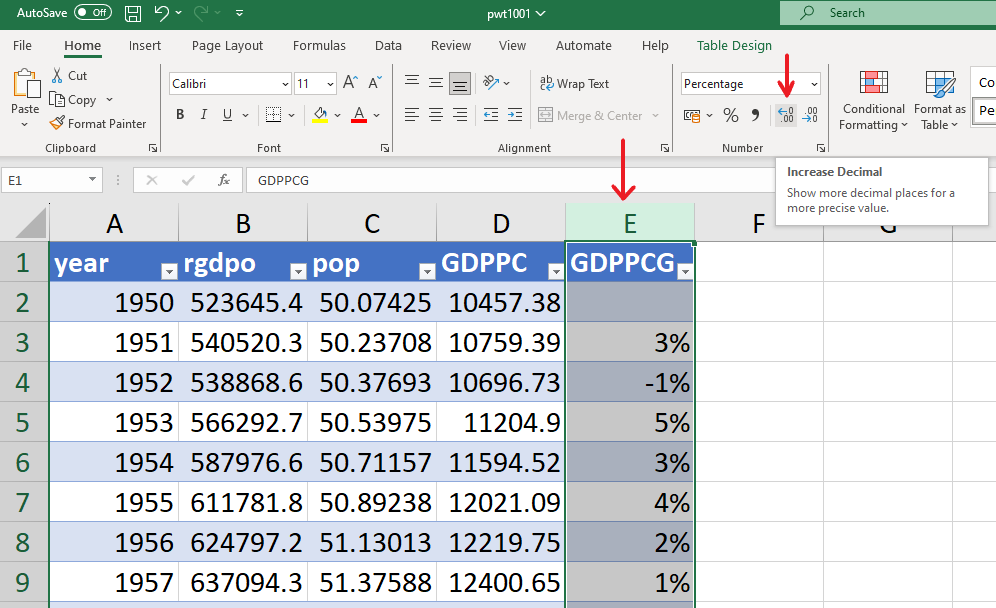
To reduce the number of decimal points (for example for the “pop” variable), click on the \(\rightarrow.000\) icon instead.
The variables “rgdpo” and “GDPPC” are large numbers expressed in millions of $, which may be easier to read by having a comma separate the 1000s. This can be done by selecting the columns on which you want to apply this change and clicking on the comma icon.
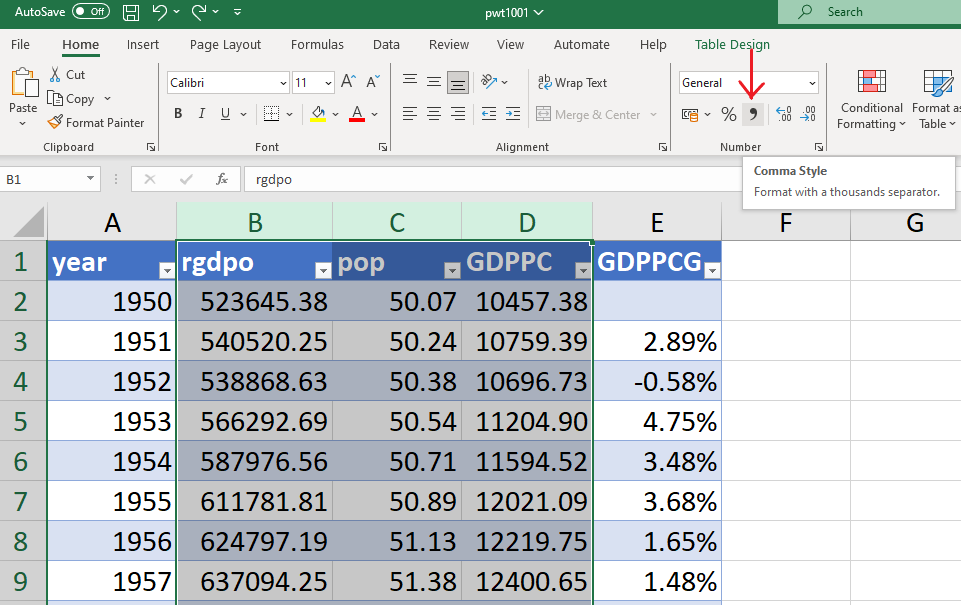
The resulting table is easier to read.